Our newest feature "Chart Prep" was designed keeping in mind how critical & time consuming pre-charting is for clinicians. This feature combines our existing functionalities of document & image summarization, AI intake along with new capabilities to summarize previous visits, to give clinicians a quick overview of a patient prior to any encounter- all in one easy view.
Our Chart Prep feature simplifies the workflow for -
1. Reviewing a draft summary while completing a patient encounter
2. Starting a chart for a new patient
3. Reviewing a patient's previous visit history prior to a new visit
How to use -
1. Record on an existing Draft Encounter -
i. Find the relevant patient name in the draft encounter list & click on the microphone icon.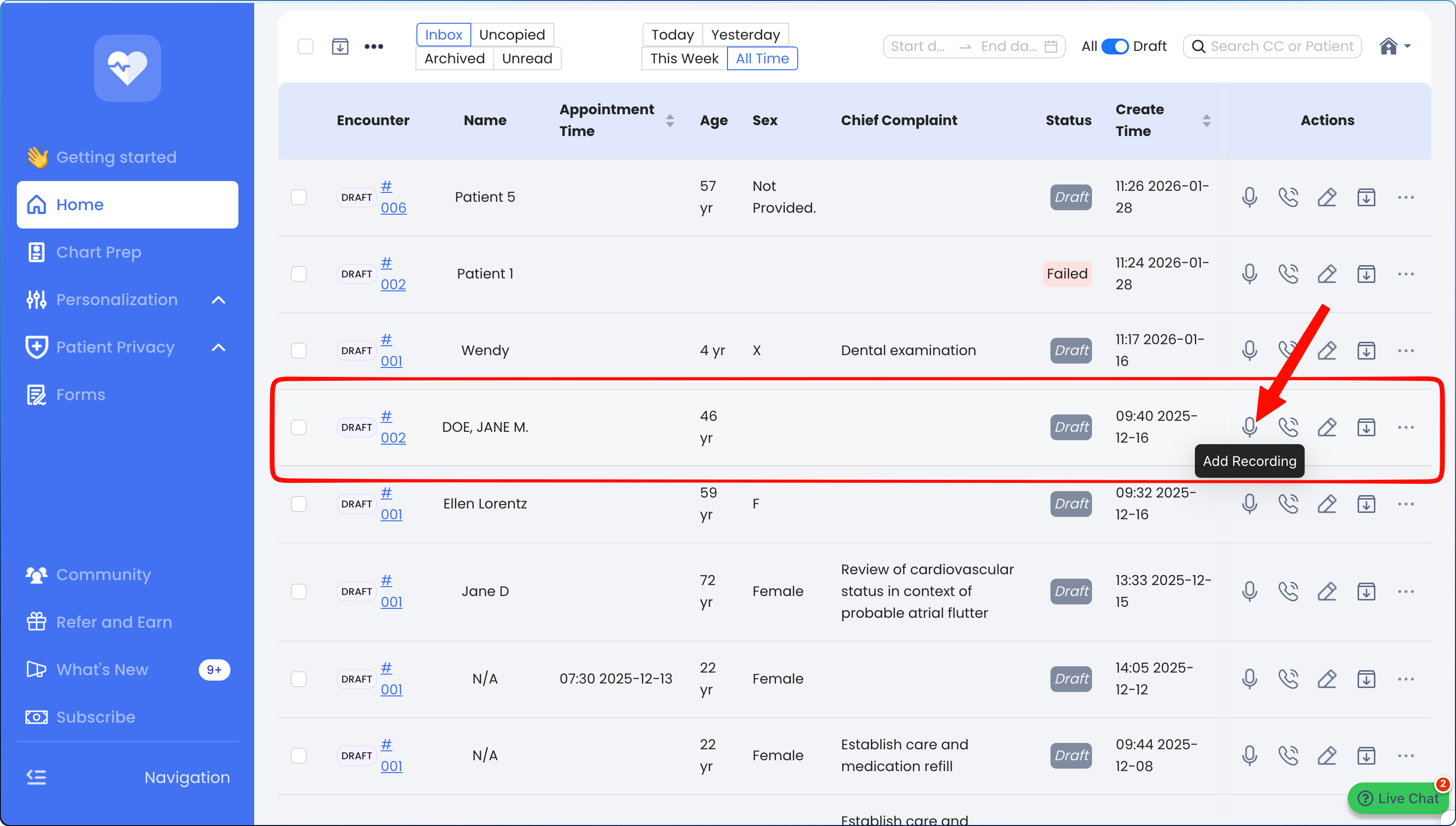
ii. This will open the Chart Prep view which will allow you to review the Draft Summary along side the recording window. 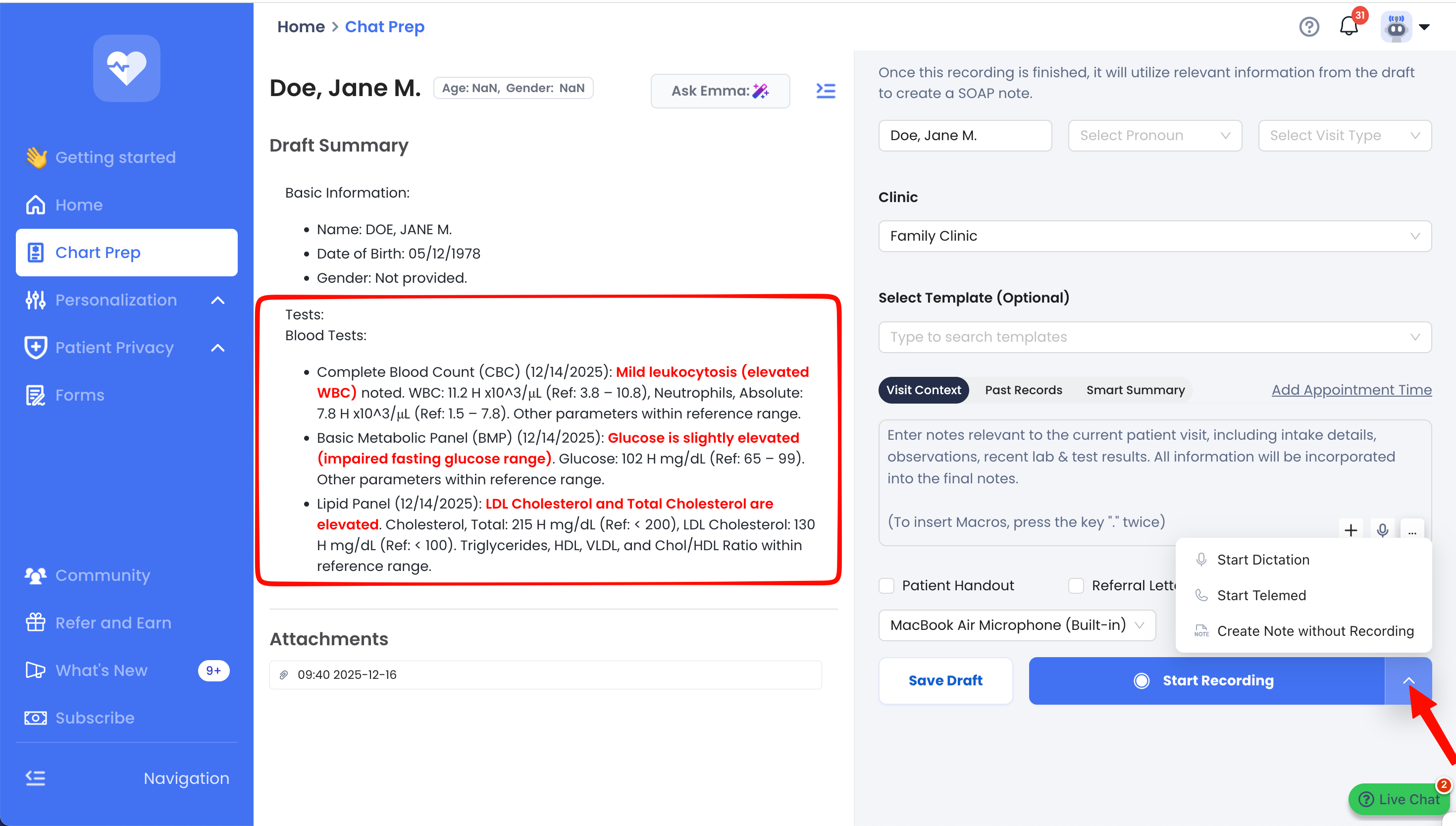
iii. You can access all Recording options along with the Telemed Option from this view.
2. Start a new patient chart
i. Create a new draft by uploading documents via Smart Summary or sending a patient intake form.
ii. You can also add information to the visit context, Start Recording, Start dictating or a telemed call directly from this view. 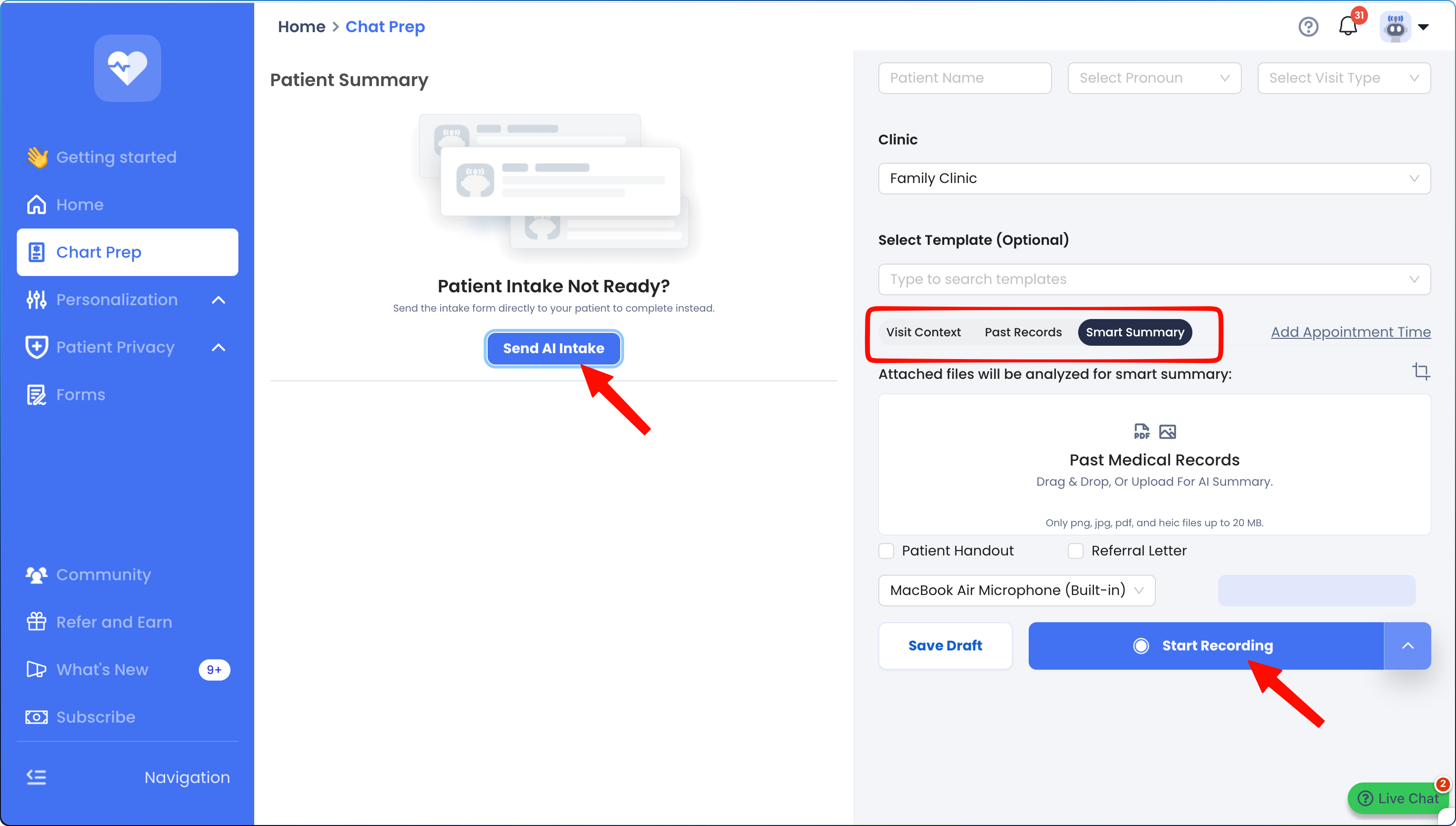
3. Review an existing patient chart
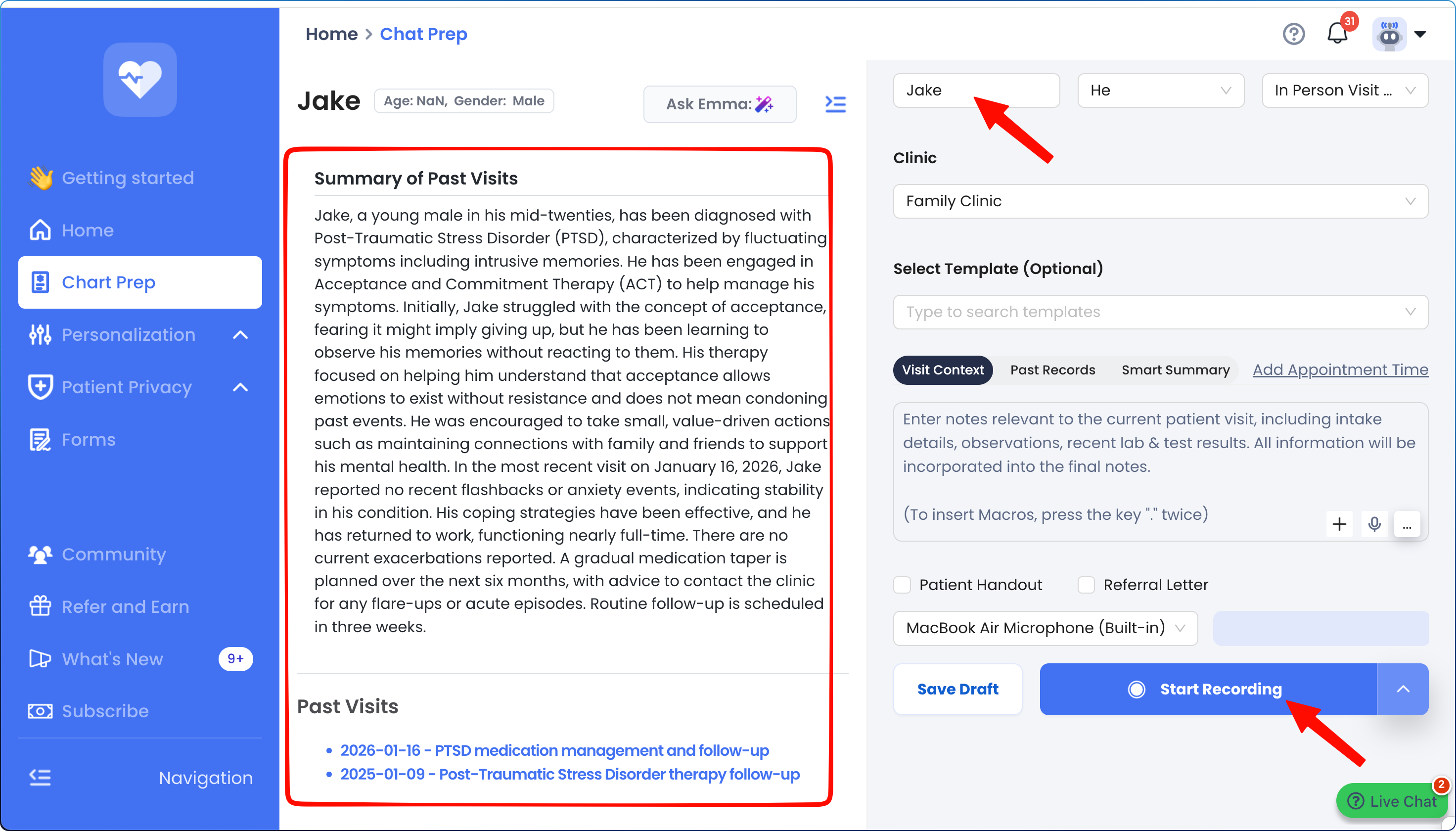
i. Simply type an existing patient name in the name field and select the correct patient.
ii. This will open an AI generated summary of past visits for easy review along with a list of previous encounters.
Reach out to us at support@empathia.ai with any questions or feedback.
Was this article helpful?
That’s Great!
Thank you for your feedback
Sorry! We couldn't be helpful
Thank you for your feedback
Feedback sent
We appreciate your effort and will try to fix the article