There are three ways you can customize your note structure, style and language in Web Portal.
1. Adjust Preferences Settings
2. Use Template
3. Smart Edit and AI Learning
1. Common Preferences Settings:
Under "Personalization", we have a wide range of options:
Note Style:
- SOAP note Format: Default vs Simple SOAP vs Multiple SOAP notes
- Content length: Brief vs Concise vs Detailed vs Highly Detailed
- Content Style: Narrative vs Point-form vs Hybrid
- Assessment and Plan: Section Based vs Problem Based
- Multi-Problem: Subjective - Chronological vs Problem Focused
- Remove subsections: i.e. hide ROS
- Differential Diagnosis: Show vs Hide
- Patient Consent : Show vs Hide
- Encounter Duration: Show vs Hide
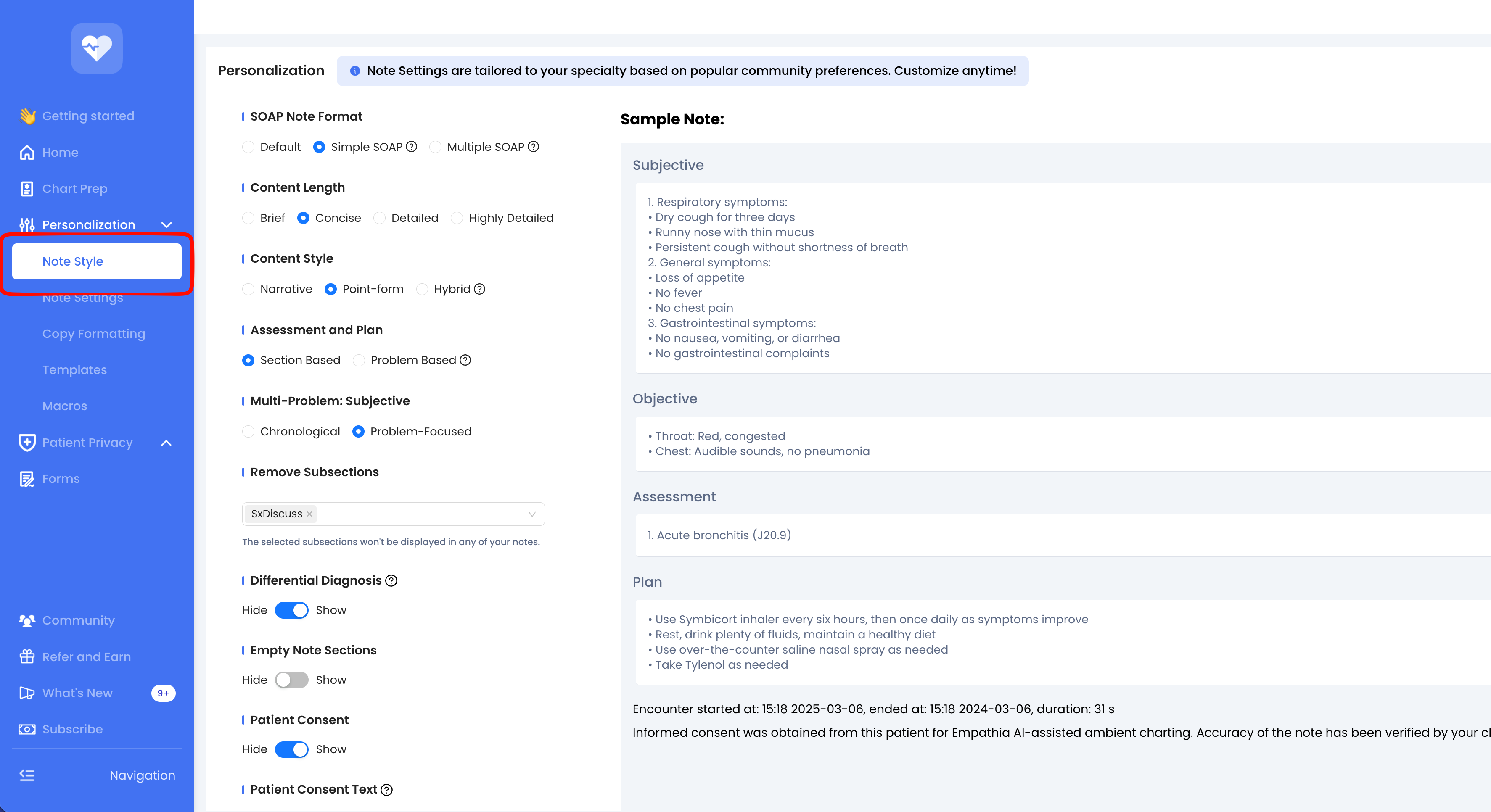
Read more in our "Change Note Style" article.
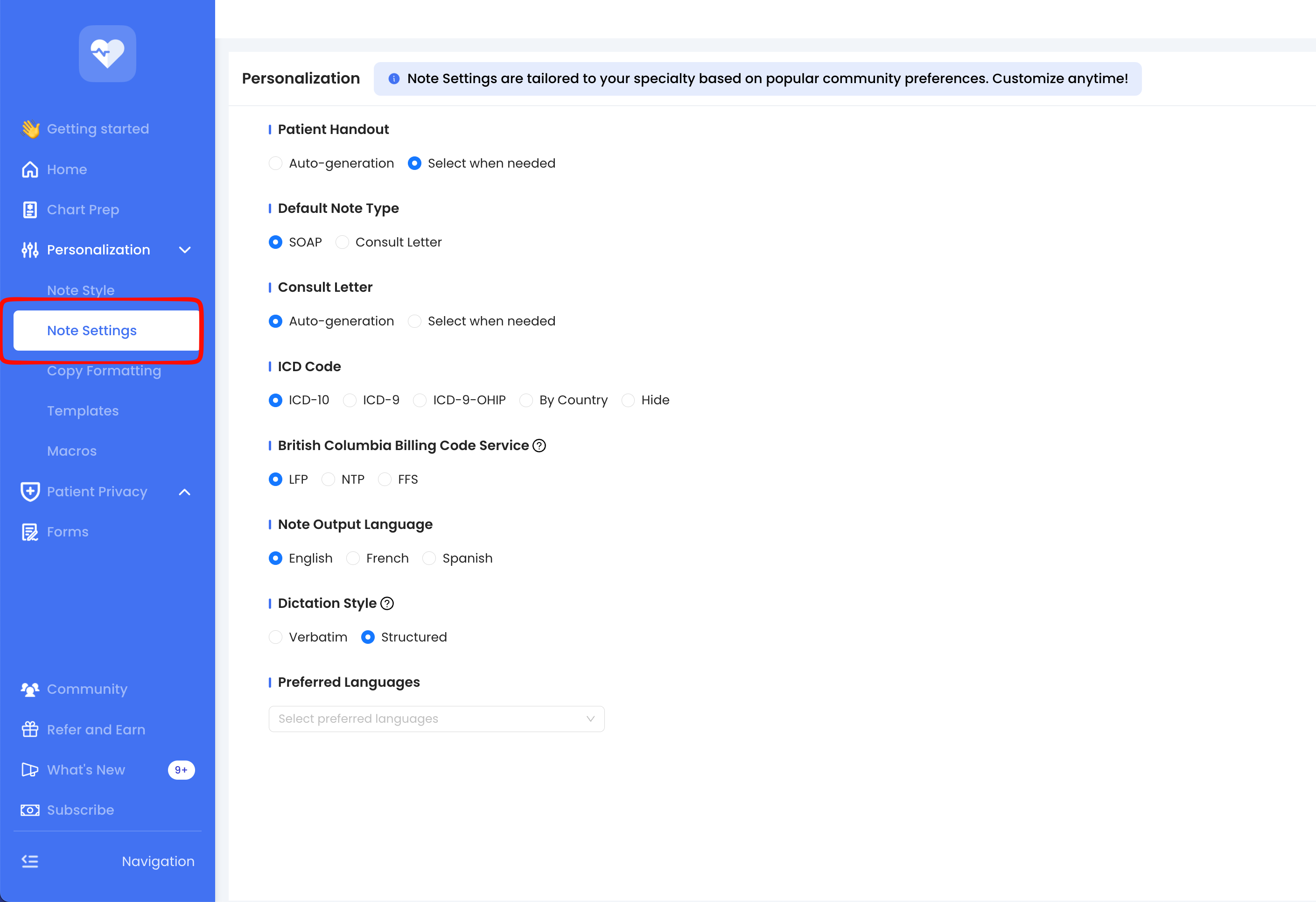
Note Settings:
- Patient handout: Auto-generate vs select when needed
- Consult/Referral Letter: Auto-generate vs select when needed
- ICD Code: ICD-9 vs ICD-10 vs ICD-9-OHIP vs By Country vs Hide
- Note output Language: English (default) vs French vs Spanish
- Dictation Style: Verbatim vs Structured
- Select Preferred Languages
Copy Formatting:
- Allow copying/editing in subsections
- Show/hide headers or subheader
Read more in Personalization Settings
2. Customization through Templates:
Start with “Community Templates”: These are specially designed for various specialties and specific types of encounters.
Create Your Own: You can also create personalized templates or upload sample notes. The AI will automatically de-identify and remove any personal information to create a general template. See more in How to Customize and Use Templates With Template Pro.
3. Train AI through Smart Edit:
Provide specific feedback/instructions and regenerate the note instantly
Save as "Custom Instruction" and choose to "apply to all future notes" to expedite AI learning
Read more in Smart Edit
Was this article helpful?
That’s Great!
Thank you for your feedback
Sorry! We couldn't be helpful
Thank you for your feedback
Feedback sent
We appreciate your effort and will try to fix the article